
Categories
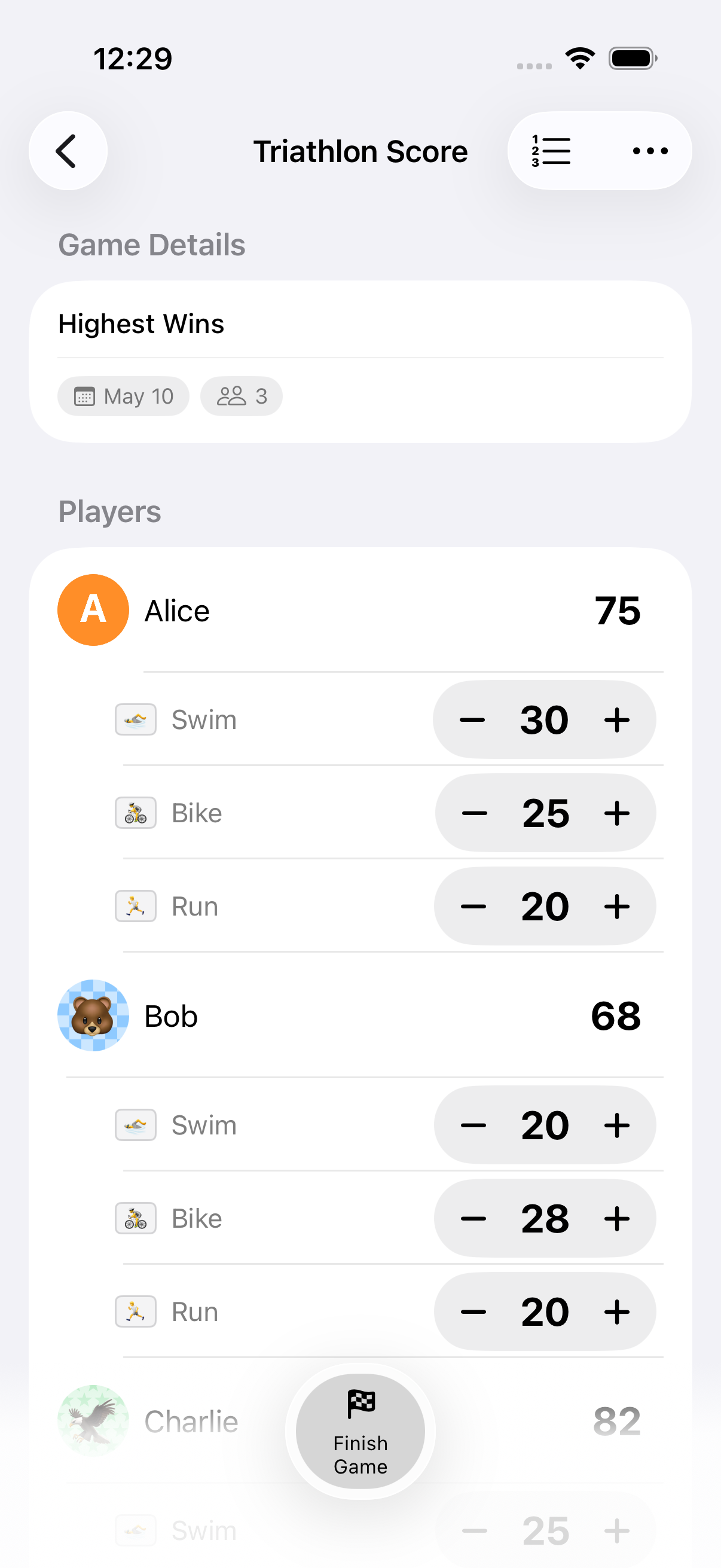
Categories let you track scores across multiple dimensions within a single game: perfect for trivia, decathlons, or any game where points come from different areas.
How It Works
Section titled “How It Works”- When creating a game, add categories (e.g., “Science”, “History”, “Sports”)
- Optionally assign an emoji to each category for visual identification
- During gameplay, score each player per category
- Category totals sync to each participant’s overall score, which drives the leaderboard
Category Templates
Section titled “Category Templates”Save sets of categories as reusable templates:
- Create a category template with a set of name + emoji pairs
- When creating a new game, apply the template to add all categories at once
- Manage saved templates from the category template library
Great for recurring games. Set up your trivia categories once and reuse them every week.
Limits
Section titled “Limits”| Limit | Value |
|---|---|
| Categories per game | 20 |
| Category name length | 30 characters |
Compatibility
Section titled “Compatibility”Categories work alongside Highest Wins, Lowest Wins, rounds, timers, and end conditions. Categories are not compatible with Win/Draw/Loss or Point Exchange modes. Those modes replace the numeric per-category scoring model.
- Use emojis to make categories visually distinct and easy to scan
- Category scores are included in exports
- Round-based games snapshot per-category scores at each round end
Related Features
Section titled “Related Features”- Scoring Modes: Highest/Lowest Wins pair with categories
- Rounds: Per-round category snapshots
- Sharing & Export: Category data in exports
Can I add categories to an existing game?
Section titled “Can I add categories to an existing game?”Categories are set when creating a game. To add new categories, start a new game with the updated category list (or rematch and edit the categories before play).
What drives the rankings, per-category scores or the total?
Section titled “What drives the rankings, per-category scores or the total?”The total score (sum across all categories, adjusted for the scoring mode) drives the leaderboard and winner detection.
Can different categories have different point scales?
Section titled “Can different categories have different point scales?”All categories use the same scoring system. If you need different scales, account for this in the point values you enter.